
Professional Training
Upskill Your Team with Hands-On Technical Training
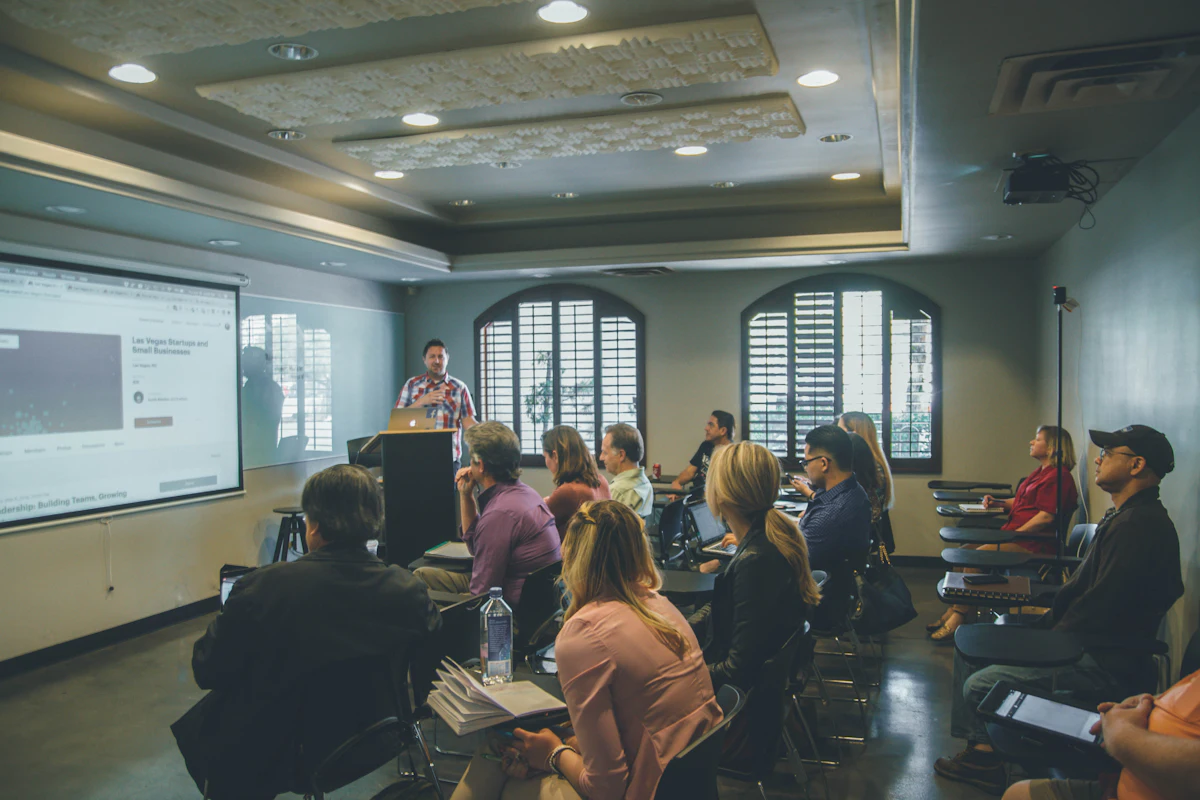
Industrial training is most effective when it is built around the equipment a team actually maintains. Geek Engineering delivers PLC, HMI, SCADA, electrical CAD, industrial networking and IT training scoped to the platforms, naming conventions and accumulated modifications on a specific plant's machines, so what is learned applies on Monday rather than to a vendor's reference system.
Why generic platform courses under-deliver
A vendor course teaches a clean reference rig. The gap that costs a plant money is the distance between that rig and the machine on the floor — its particular network layout, tag naming, safety design and fifteen years of undocumented modifications. Training that never touches the real system teaches the platform without reducing dependence on outside help.
Core services
What Professional Training covers
- Automation & Controls Training
- Engineering Design Training
- AI, Software & Digital Technology Training
Overview
What to expect from Professional Training
Training is most effective when it is built around the equipment a team actually maintains. Generic platform courses teach a vendor's reference system; the gap that costs a plant money is usually the distance between that reference system and the machine on the floor, with its particular network layout, naming conventions, safety design and accumulated modifications. Sessions are therefore shaped around the installed base and the tasks the team needs to perform without outside help.
The content follows from what people are being asked to do. Maintenance technicians expected to diagnose a stopped line need to read the running program, interpret alarms, trace an I/O fault to a physical device and recover a machine safely. Engineers taking ownership of a system need the structure behind it — program organization, tag conventions, HMI and SCADA configuration, drive and network parameters, and the reasoning behind how it was built. Design staff moving onto new tools need practical fluency in the drawing and modeling workflows their projects require. Each of those is a different session, and treating them as one is the usual reason training does not translate into capability.
Retention comes from doing rather than watching, so sessions are built around hands-on work with realistic faults and real documentation, and participants leave with material they can return to. The intent is to reduce a team's dependence on external support for routine work and to make the escalation boundary explicit — what the team can confidently handle, and where bringing in help is the right call. Scoping a training request is straightforward given the platforms and software versions in use, the audience and their current level, the tasks they need to own, and the time that can realistically be taken away from production.
How we deliver
What every engagement includes
Geek Engineering applies the same delivery discipline across every service. Project-specific outcomes are published only with client permission.
Evidence without the marketing
Client-specific outcomes are shared only with written permission, so this page carries no invented statistics and no anonymous testimonials. What we can walk through in a scheduled technical conversation: sanitized drawings and code structure, representative panel photos, and the exact documentation standard your project would receive.
Request a capability reviewCited sources
Standards and references used in this work
Geek Engineering designs to applicable industry standards and vendor documentation. The following references are commonly used during Professional Training engagements, applied as each scope requires. They are references, not certifications held.
- •National Electrical Code (NEC) — where electrical lab work is in scope
- •IEC 61131-3 — programmable controller programming standards
- •IEEE standards — industrial networking fundamentals
- •Vendor technical manuals — Allen-Bradley, Siemens, AutoCAD, EPLAN, SolidWorks
Professional Training — Detailed Breakdown
We deliver practical, instructor-led training programs that close the skills gap in CAD, industrial automation, software development, and engineering best practices. Courses are tailored to your team's experience level and built around real equipment, real code, and real scenarios.
CAD & Engineering Design Training
- SolidWorks, AutoCAD, and EPLAN instructor-led workshops covering 2D drafting, 3D modeling, and electrical schematic best practices
- P&ID drawing standards (ISA-5.1) with hands-on exercises using actual plant instrumentation tag databases
- Design review and tolerance-analysis techniques to reduce costly engineering change orders
Automation & Controls Training
- PLC programming courses (Allen-Bradley, Siemens) with hands-on lab stations using real I/O modules and field devices
- HMI/SCADA configuration workshops covering screen design, alarm philosophy, and historian data trending
- Industrial networking fundamentals—EtherNet/IP, PROFINET, Modbus TCP/IP, and OPC-UA configuration
Software Development & Engineering Practices
- Web and mobile development bootcamps using React, TypeScript, and modern DevOps pipelines
- Version control (Git), code review workflows, and agile project management for engineering teams
- Lean engineering and continuous-improvement workshops for process optimization in manufacturing environments
Support for Every Organization
- Customized corporate training packages for contractors, startups, and enterprise-scale engineering departments
- Onsite and virtual delivery options with recorded sessions for asynchronous team learning
Professional Training: what is needed, what you receive, and what drives cost
Different audiences need different sessions
| Audience | What they need to do unaided | Session focus |
|---|---|---|
| Maintenance technicians | Get a stopped line running safely | Read the running program, interpret alarms, trace an I/O fault to a device, recover safely |
| Controls engineers | Take ownership of a system | Program organisation, tag conventions, HMI/SCADA configuration, drive and network parameters, design rationale |
| Design staff | Produce drawings to standard | Practical workflow in the drawing and modelling tools their projects require |
| IT staff | Support plant systems without stopping them | Network segmentation, backup and restore of controls assets, change control |
| Operators | Run and recover the machine | HMI navigation, alarm response, correct escalation point |
Treating these five as one session is the usual reason training does not translate into capability.
What drives cost and timeline
- How much of the session is built on your equipment versus generic material.
- Number of distinct audiences — they are separate sessions, not one longer one.
- Production time available — what can realistically be taken away from the floor.
Where this is not the right fit
Geek Engineering does not issue vendor certifications and does not represent itself as an authorised training centre for any platform. Sessions build practical capability on your systems; where a formal vendor credential is required, that is a separate path through the vendor.
Last reviewed by Geek Engineering senior engineering review.
Buyer questions
Frequently Asked Questions
Is training delivered on our own equipment?
Wherever practical, sessions are built around the platforms and configurations the team actually maintains, including its network layout, naming conventions and accumulated modifications. That closes the gap between a vendor's reference system and the machine on the floor, which is usually where the real difficulty sits.
Who should attend?
It depends on the tasks the team needs to own. Diagnosing a stopped line, taking engineering ownership of a system, and learning a new design toolchain are different sessions with different audiences — combining them is the most common reason training does not translate into capability. Tell us the audience and their current level and we will scope accordingly.
How long does a training engagement take?
Length follows the scope and the time that can realistically be taken away from production. Sessions are structured around hands-on work with realistic faults and real documentation rather than lecture time, and participants leave with material they can return to afterwards.
What should we send to get a training proposal?
The platforms and software versions in use, the audience and their current experience, the tasks they need to perform without outside help, and your available scheduling windows. A senior engineer reviews the request and proposes a structure.
Can training be delivered on our own machines rather than a training rig?
Yes, and that is the intent. Sessions are built around the installed base — the platforms, network layout, naming conventions and safety design actually present — using your documentation and realistic faults. Where a live machine cannot be interrupted, an offline copy of the program and a simulated I/O environment give the same result without touching production.
How long does it take before a team can handle routine work unaided?
That depends on the starting level and how much practice follows the session, so no honest fixed answer exists. What can be defined in advance is the boundary: which tasks the team should be able to complete alone after training, and where escalating to outside help is the correct call. Making that boundary explicit is part of the deliverable.
Do participants get material they can refer to afterwards?
Yes. Sessions are built around hands-on work with realistic faults and real documentation, and participants leave with reference material tied to their own systems. Retention comes from doing rather than watching, so exercises use the plant's actual programs and drawings wherever possible.
Where this capability leads
Talk to an Engineer About Professional Training
Send your schematics, code, or the problem in plain words. A senior engineer reviews it and responds with questions, a proposed approach, and the next concrete step.